
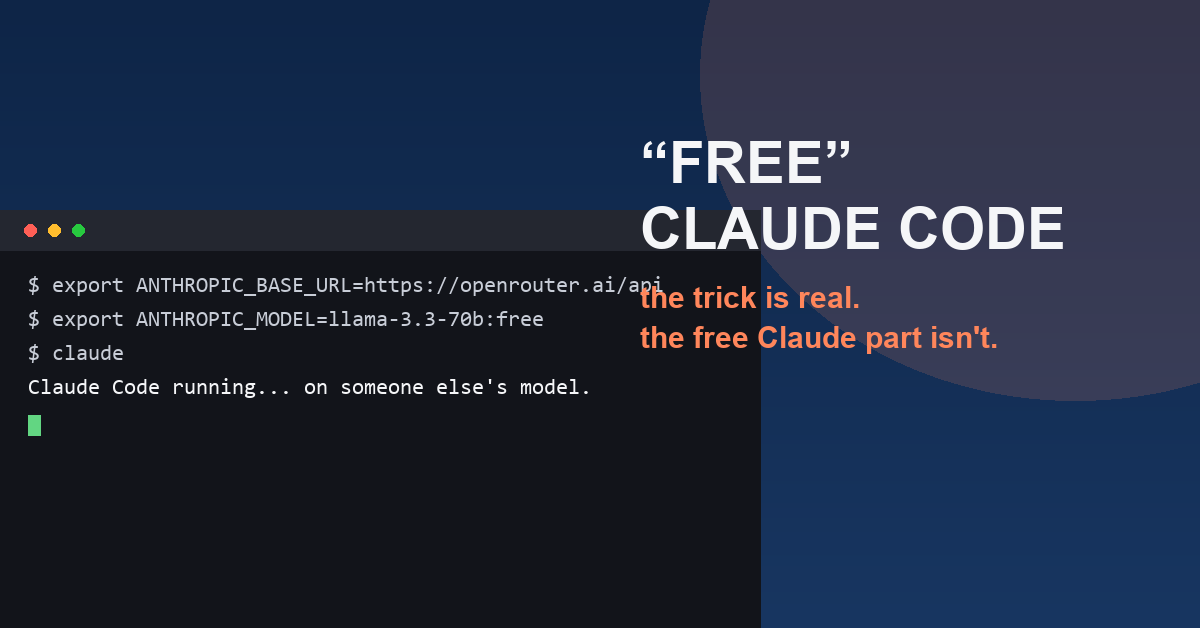

Everyone’s Sharing the “Free Claude Code” Trick — Here’s What You’re Actually Getting
A clip floating around lately promises “the most powerful AI coding tool on the planet, completely free.” Here’s the tension nobody in these videos leads with: the “free Claude Code” trick is real, but you’re not getting free Claude. You’re getting Claude Code’s shell — the part that reads your project, edits across files, and runs your tests — pointed at a completely different, free, and noticeably weaker model instead. Same steering wheel, different engine.
The quick verdict: worth it if you want to feel out an agentic coding workflow at zero cost. Not worth it if you’re expecting Claude-level output — you won’t get it from a free third-party model just because it’s arriving through Claude Code’s interface.
What Claude Code actually is
If you haven’t touched it yet: Claude Code isn’t autocomplete. It’s an agentic coding tool that runs from your terminal, reads your whole project, plans changes across multiple files, runs your tests, and fixes what breaks — all from a plain-language prompt. It’s not a toy either. Anthropic reportedly uses it for the bulk of its own internal development now, and companies have quoted multi-week migrations getting done in days once it’s wired into a real workflow.
The catch nobody skips past fast enough: Claude Code the tool is free to install, but every prompt still costs API tokens. Normally that means an Anthropic account with usage on the meter.
How the “free Claude Code” trick actually works
Here’s the actual mechanism. Claude Code reads an environment variable called ANTHROPIC_BASE_URL to decide where to send your prompts. Point it away from Anthropic’s own servers and toward a gateway like OpenRouter, and Claude Code will happily talk to whatever model sits behind that URL instead — including OpenRouter’s free-tier models (the ones with :free at the end of the model ID). It’s a genuinely useful trick for kicking the tires on an agentic workflow before paying for anything — just go in knowing that’s what it is.
Setting it up
If you want to try it yourself, the steps are straightforward:
- Install Node.js 18+ from nodejs.org (or
brew install nodeon Mac), then open a fresh terminal so the new PATH actually loads. - Install Claude Code:
npm install -g @anthropic-ai/claude-code. Skipsudo— if you’re hitting permission errors, install Node through nvm instead so everything lives under your home directory. - Create an OpenRouter account at openrouter.ai and grab an API key from the dashboard.
- Set your environment variables in your shell config (
~/.zshrc,~/.bashrc, or WSL equivalent):export ANTHROPIC_BASE_URL=https://openrouter.ai/apiexport ANTHROPIC_AUTH_TOKEN=your-openrouter-key-hereexport ANTHROPIC_MODEL=meta-llama/llama-3.3-70b-instruct:freeThen reload with
source ~/.zshrc. - cd into your project and run
claude. It’ll read your project context and wait for a prompt.
Before you point it at anything real: check your privacy settings
This is easy to skip and shouldn’t be. Under Anthropic’s terms since August 2025, a consumer account (Free, Pro, or Max) can have its prompts and code used for model training by default, with retention up to five years. If that matters to you, go to claude.ai settings, find Privacy, and switch off “Help improve Claude” — that drops retention to 30 days and opts you out of training use.
Routing through your own OpenRouter API key puts you under different terms entirely: seven-day retention, no training use. Worth knowing if you’re touching anything proprietary or client-owned.
One more tool worth knowing: Agent OS
A recurring annoyance with Claude Code — free-tier routing or not — is that every new session starts from zero. The agent doesn’t know your naming conventions, your folder structure, or any architecture decisions from last week, so you end up re-explaining your project every single time. Agent OS is a free, open-source framework built to fix exactly that: it scans your codebase, documents the patterns already in use as markdown standards files, and lets you inject those standards at the start of a session so the agent already knows your conventions before your first prompt. It works with Claude Code’s slash commands natively, and since everything it produces is just markdown, it’ll work with any AI coding tool that can read files. If you want more ways to extend the setup once you’ve got it running, we’ve also rounded up a few essential Claude Code MCP tools worth installing.
The two mistakes everyone makes
Blowing through the context window. Claude Code sessions have a token limit, and long-running sessions get sloppy once they’re near it. Run /compact every 15–20 messages to summarize and trim old context, or /clear for a full reset. The less you’re burning per session, the further any daily free-tier limit stretches.
Getting the base URL wrong. The single most common error is typing https://openrouter.ai/api/v1 instead of https://openrouter.ai/api — that trailing /v1 breaks it every time. Double-check the model ID too; OpenRouter’s model list shifts occasionally, and a stale ID throws a confusing “model not found” error instead of a clear one.
None of this requires paying anyone to unlock — just Node, a terminal, and a free OpenRouter key. Just go in knowing what “free” actually means here: free access to a capable agent loop, not a free pass to Claude itself.